
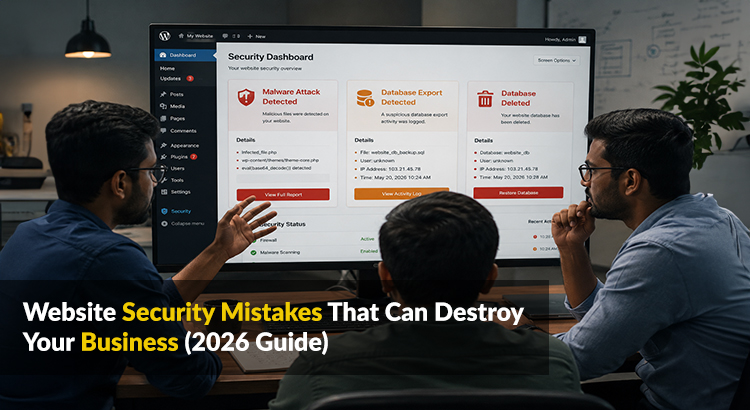
Most business owners think about website security only after something goes wrong — after a hack, after customer data is compromised, after Google flags their site as dangerous and organic traffic collapses overnight. By that point, the damage to revenue, reputation, and customer trust can take months or years to repair. If you have been working with a web development company in Chennai to build or manage your website, understanding the security mistakes that put businesses at risk is just as important as the design and functionality decisions that shape how your site looks and performs.
This guide covers the most common and most damaging website security mistakes businesses make — and exactly what you need to do to protect your site, your customers, and your business before a threat becomes a crisis.
Why Website Security Is a Business Issue, Not Just a Technical One
Website security is consistently treated as a technical concern — something for developers to handle quietly in the background. This is one of the most dangerous misconceptions in business today.
A security breach is not just a technical failure. It is a business event with direct financial consequences. Customer data lost to a breach creates legal liability. A site taken offline by an attack stops generating revenue immediately. A Google warning label on your website — flagging it as dangerous — destroys organic search rankings and drives away every visitor who sees it. And the reputational damage of being known as a business that failed to protect customer information can outlast the technical recovery by years.
Security is a business priority. Treating it as anything less is one of the most expensive mistakes a business can make.
10 Website Security Mistakes That Can Destroy Your Business
1. Not Having an SSL Certificate
If your website URL begins with HTTP rather than HTTPS, you have an immediate and serious problem. SSL certificates encrypt the data that passes between your website and your visitors — login credentials, contact form submissions, payment information — protecting it from interception.
Without SSL, browsers display a “Not Secure” warning to every visitor who arrives on your site. Google actively demotes non-HTTPS websites in search rankings. And any customer who spots the warning — which modern browsers make increasingly visible — will leave without engaging.
SSL certificates are now inexpensive and straightforward to implement. There is no justification for operating a business website without one in 2026. If your current site lacks HTTPS, fixing this is the first and most urgent security action you need to take.
2. Using Weak or Repeated Passwords
Weak passwords remain one of the most common entry points for attackers targeting business websites. Default CMS login credentials, simple passwords reused across multiple platforms, and admin accounts with usernames like “admin” or “administrator” are among the first things automated attack tools test when targeting a website.
Every account with access to your website — CMS admin, hosting control panel, FTP, database — should use a unique, complex password of at least 16 characters combining letters, numbers, and symbols. A password manager removes the practical difficulty of maintaining strong, unique passwords across all accounts. Two-factor authentication on every admin account adds a critical second layer of protection that stops the vast majority of credential-based attacks even when a password is compromised.
3. Ignoring Software and Plugin Updates
Outdated software is the single most common cause of successful website attacks. Every piece of software running on your website — the CMS, themes, plugins, and server software — periodically releases security updates that patch discovered vulnerabilities. When you delay or ignore these updates, you leave known vulnerabilities open for attackers to exploit.
This is particularly critical for WordPress websites, which power a significant share of business websites in India. WordPress itself is highly secure when kept updated, but outdated plugins and themes are responsible for the overwhelming majority of WordPress security breaches. A disciplined update schedule — reviewed and applied at minimum monthly — is one of the most effective and straightforward security measures any website owner can implement.
4. No Regular Website Backups
A backup does not prevent a security incident — but it determines whether that incident destroys your business or becomes a manageable inconvenience. Without current, tested backups, a successful attack, a corrupted database, or a failed update can result in permanent, unrecoverable data loss.
Backups should be automated, stored in a separate location from your live website, and tested periodically to confirm they can actually be restored. Daily backups are appropriate for most business websites. E-commerce stores processing daily transactions should consider more frequent backup intervals. The cost of storage for comprehensive backups is negligible compared to the cost of rebuilding a website and its content from scratch.
5. No Web Application Firewall
A web application firewall (WAF) monitors incoming traffic to your website and blocks malicious requests before they reach your server — filtering out common attacks including SQL injection, cross-site scripting, and brute force login attempts automatically.
Many businesses operate without a WAF entirely, leaving their websites exposed to attack patterns that are well documented and easily blocked with proper protection in place. Services like Cloudflare offer WAF functionality at accessible price points for businesses of all sizes, and implementing one is one of the most impactful single security improvements a website can make.
6. Giving Too Many Users Admin Access
Every person with administrative access to your website represents a potential security vulnerability — whether through their account being compromised, weak password practices, or simply human error. Businesses frequently grant full administrative access to team members, freelancers, and agencies without considering whether that level of access is actually necessary for the work being done.
Apply the principle of least privilege: every user account should have only the minimum level of access required for their specific role. A content writer needs editor access — not administrator access. A designer updating page layouts does not need access to your database settings or user management. Audit your user accounts regularly, remove accounts that are no longer needed, and ensure every active account has only the permissions it genuinely requires.
7. No Protection Against Brute Force Attacks
Brute force attacks use automated tools to attempt thousands or millions of password combinations against your login page until the correct credentials are found. Without protection, your login page is an open target for these attacks — which run continuously and automatically across millions of websites simultaneously.
Limit login attempts to lock out accounts or IP addresses after a defined number of failed tries. Move your CMS login page away from the default URL — for WordPress sites, the default wp-admin and wp-login.php URLs are the first place automated attacks look. Implement CAPTCHA on login forms to prevent automated submission tools from functioning. These measures combined stop the vast majority of brute force attempts before they pose any real risk.
8. Collecting Customer Data Without Proper Protection
Many businesses collect more customer data than they realise — names, email addresses, phone numbers, purchase histories, payment details — and store it without adequate protection or a clear policy governing how long it is retained and who can access it.
Every piece of customer data you collect is a liability as much as an asset. Data you do not need and do not retain cannot be stolen. Data you do retain should be encrypted, access-controlled, and covered by a clear privacy policy that complies with applicable regulations. For e-commerce businesses processing payments, never store card details on your own server — use reputable payment gateways that handle card data security within their own PCI-compliant environments.
9. Not Monitoring Your Website for Security Issues
Most businesses only discover a security problem when the consequences become visible — when traffic drops, when a customer reports something suspicious, or when Google Search Console sends a security alert. By that point, the breach has often been active for days or weeks.
Active monitoring tools detect suspicious behaviour in real time — unexpected file changes, unusual traffic spikes, new admin accounts created without authorisation, malware injected into page code. Google Search Console itself provides security alerts that every website owner should have configured and actively monitoring. Paid security monitoring services add a further layer of continuous protection that identifies and alerts on threats before they escalate into full incidents.
10. Choosing Cheap, Unreliable Hosting
Your hosting environment is the foundation your website’s security rests on. Budget hosting providers that pack thousands of websites onto shared servers with minimal security infrastructure create environments where a vulnerability in one website can affect others sharing the same server.
Reliable hosting providers offer server-level firewalls, malware scanning, DDoS protection, automatic backups, and rapid support when incidents occur. The price difference between budget hosting and quality managed hosting is modest relative to its business impact — and the security, performance, and reliability advantages are significant. This is particularly important for e-commerce websites handling customer payments and personal data, where the consequences of a hosting-level security failure are most severe.
What to Do If Your Website Has Already Been Compromised
If you suspect your website has been hacked or compromised, take these steps immediately:
Take the site offline — put it into maintenance mode to prevent further damage to visitors and limit ongoing data exposure.
Change all passwords immediately — CMS admin, hosting panel, FTP, database, and any connected services.
Contact your hosting provider — most reputable providers have security incident response processes and can assist with identifying the source and scope of the compromise.
Restore from a clean backup — if you have recent, verified backups, restoring to a pre-compromise state is usually faster and more reliable than attempting to clean an infected site manually.
Scan thoroughly before going live again — use security scanning tools to confirm the restored site is clean before bringing it back online.
Notify affected parties — if customer data was exposed, legal and ethical obligations require prompt notification. Take this seriously.
Conduct a full post-incident review — understand exactly how the breach occurred and implement the measures that would have prevented it before the site goes live again.
Frequently Asked Questions
How do I know if my website has been hacked?
Common signs include unexpected changes to page content, new pages or user accounts you did not create, a sudden unexplained drop in Google rankings, Google Search Console security alerts, your hosting provider suspending your account, or visitors reporting being redirected to unfamiliar websites.
How often should I update my website’s software and plugins?
At minimum monthly, but ideally as soon as security updates are released. Critical security patches should be applied within 24 to 48 hours of release. Delaying security updates is one of the highest-risk decisions a website owner can make.
Is shared hosting safe for a business website?
Shared hosting introduces risks that managed or dedicated hosting does not. For a simple brochure website with no sensitive customer data, quality shared hosting from a reputable provider can be adequate. For e-commerce websites or any site collecting sensitive customer information, managed hosting with dedicated security infrastructure is strongly recommended.
Do small business websites really get hacked?
Consistently and frequently. The majority of website attacks are not targeted — they are automated, scanning millions of websites simultaneously for known vulnerabilities. Small business websites are attacked at the same rate as large ones. Size provides no protection. Security measures do.
Final Thoughts
Website security is not a one-time setup task — it is an ongoing operational responsibility that directly affects your revenue, your reputation, and your customers’ trust in your business. The mistakes covered in this guide are not obscure or technical edge cases. They are common, well-documented vulnerabilities that attackers exploit every day against businesses that assumed security was someone else’s problem.
The cost of getting security right is modest. The cost of getting it wrong — in lost revenue, recovery time, reputational damage, and potential legal liability — can be catastrophic. Invest in security proactively, before an incident forces you to.
Want a website that is built secure from the ground up?
We build websites for businesses across Chennai and India with security baked into every layer — from hosting environment and SSL configuration to CMS hardening, regular update management, and ongoing monitoring. Whether you need a new website built to modern security standards or a full security audit of your existing site, we will give you an honest assessment of where you stand and what needs to change.